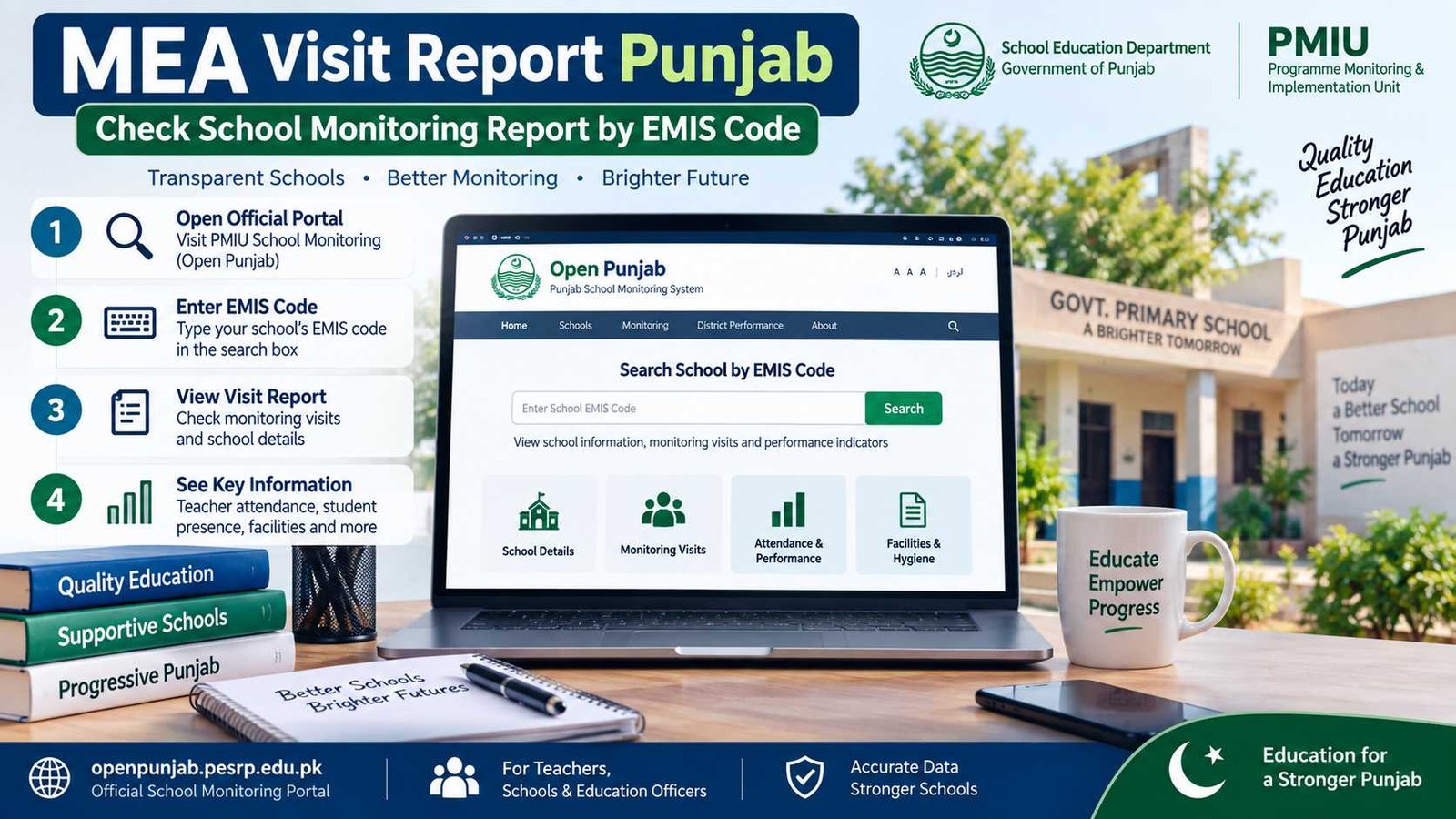
If you are a Punjab Government school teacher, head teacher or education officer and want to check the latest MEA Visit Report, you can search the official school-monitoring portal using your school’s EMIS code. The current public portal is operated under the Programme Monitoring & Implementation Unit (PMIU) and provides access to school monitoring information across Punjab. It allows visitors to search a school by EMIS code and view monitoring visits and performance indicators without needing a public user account.
One important correction from the older version of this BondResult.com article: MEA does not mean “Monitoring and Evolution Authority.” The official terminology is Monitoring and Evaluation Assistant (MEA). These field officers carry out school spot visits and record monitoring information for the School Education Department.
Core information
Service: Punjab Public School Monitoring / MEA Visit Report
Search method: School EMIS Code
Official public portal: PMIU Open Punjab / PESRP School Monitoring
Login required for public report: No
For authorized monitoring work: Department-issued system/app access
Last verified: 14 September 2026
Check MEA Visit Report on the official PMIU portal
What Is the MEA Visit Report?
The MEA Visit Report is a record created from school monitoring visits carried out by Monitoring and Evaluation Assistants in Punjab Government schools.
During these visits, monitoring staff record different indicators about the condition and functioning of the school. PITB’s official description of the monitoring system explains that MEAs collect information such as teacher presence, student enrolment and attendance, and the availability of facilities including drinking water, electricity and toilets. Monitoring visits have been digitized so information can be submitted electronically rather than relying only on old paper forms.
The report is best understood as a snapshot of the school on the day of the visit. It is not the same thing as the annual school census. The official monitoring material itself notes that some difference between MEA visit data and census data can therefore be expected.
For teachers and school heads, this report is useful because it lets you see what was recorded during a monitoring visit instead of depending only on verbal information.
Official MEA / PMIU Portal
The current public school-monitoring portal is available through PMIU/PESRP’s Open Punjab system. Its homepage clearly provides a “Search by EMIS code” field and describes the service as free public access to school education data across Punjab.
This is now the link we recommend on BondResult.com.
Older articles, including the previous version of this page, repeatedly referred visitors to pmiu.pitb.gov.pk and an older dashboard-login route. For ordinary teachers or members of the public simply trying to check a school visit, that old login route is unnecessary. The present public EMIS search should be your first option.
PITB still documents the technology and history behind Punjab’s smart school-monitoring system, while the live public data is now available on the PMIU/PESRP portal.
How to Check a School Report by EMIS Code
Checking the MEA Visit Report by EMIS code is quite simple.
Open the official Punjab school-monitoring portal and find the Search by EMIS code box. Enter your school’s correct EMIS number and open the school record.
You should then be able to see available monitoring visits for that school. The visit listing can show the date of each visit along with different performance indicators. Selecting an individual visit can open more detailed information where it is publicly available.
A simple method is:
- Keep your school’s correct EMIS code ready.
- Open the official PMIU school-monitoring portal.
- Enter the EMIS code in the search box.
- Open the school/visit listing.
- Select the required visit date.
- Review the recorded monitoring information.
If you are a teacher, it is a good idea to check the visit date first. Kabhi kabhi hum purani visit dekh rahe hote hain aur samajhte hain ke yeh latest report hai.
Information Shown in the MEA Visit Report
The current public visit listing shows a useful set of school-monitoring indicators.
Depending on the record, these include teacher presence, non-teaching staff presence, student attendance/presence, retention, head teacher presence, boundary wall, drinking water, furniture, toilet sufficiency and school hygiene.
A detailed individual monitoring form may contain even more information. A currently accessible official sample includes the school’s EMIS code, school name, district, tehsil, level, monitoring date, visit start and end times and attendance-related details. Personal information in the public version is anonymised for privacy.
This means the MEA report is more than just a “visit happened” record. It can show what the monitoring officer actually observed against several school-performance indicators.
Still, remember that these figures relate to the monitoring visit. They should not automatically be treated as the school’s permanent position for every day of the month.
What to Do If an MEA Report Is Missing
Sometimes you may enter the correct EMIS code but not find the visit you expected.
First, check that the EMIS number is correct. One wrong digit can take you to another school or return no useful record.
Next, look at the available visit dates carefully. A school may have several historical visits, and the visit you are looking for may not be the first record shown.
The official portal explains that monitoring data is based on spot visits carried out during school days. It also notes the normal summer-break period when schools may be closed, so you should not assume that every calendar month must show exactly the same monitoring activity.
If a recent visit has taken place but you cannot see it, allow for the possibility that the public record has not appeared as expected and check again through the official portal or your education-office channel.
Do not create or upload a fake report yourself. Public users are there to view monitoring data, not to submit an MEA visit on behalf of the monitoring officer.
If Information in the MEA Report Looks Wrong
The PMIU public system includes a Challenge Data facility for available school records. The current interface lists indicators such as teacher presence, student presence, head teacher presence, boundary wall, drinking water, furniture, toilet sufficiency and school hygiene as items that may be challenged, along with challenger contact details and supporting material where applicable.
So if you find an apparent discrepancy, use the official system rather than arguing over a screenshot in a WhatsApp group.
Keep any supporting school record available and make sure you are comparing the same visit date.
The portal also contains an alert-subscription facility for selected school indicators.
School Monitoring Login for Authorized Users
There is an important difference between checking a public MEA Visit Report and using the official monitoring system as a field officer.
Teachers, parents and other public users normally do not need an MEA login just to view the public report. They can use the EMIS search.
Authorized monitoring staff such as MEAs and relevant education officers use department-controlled systems and credentials for official monitoring work.
As of September 2026, the School Education Department’s official monitoring application is listed as PECTAA School Monitoring. Its description says it is used to facilitate MEAs (Monitoring and Evaluation Assistants) and AEOs in monitoring school performance. The application was updated in September 2026.
If you are an authorized officer and your login is not working, use the credentials and support route provided by your department. BondResult.com cannot create, reset or recover an official monitoring account.
Common MEA Visit Report Problems
One of the most common problems is using an incorrect EMIS code. Always verify the code from the school’s official record before searching.
Another issue is confusing SIS data with MEA monitoring data. Punjab’s School Information System is mainly based on data reported by schools about students, teachers and facilities, while the MEA monitoring portal contains information collected during monitoring visits.
You may also notice that a monitoring percentage does not match what you expect from the school’s normal monthly position. Again, an MEA report reflects a particular spot visit.
If a record appears genuinely incorrect, use the available official challenge or departmental mechanism rather than treating an unofficial copy as the final record.
For other useful guides for teachers and government employees, visit Employee Corner on BondResult.com. You can also browse our Education section for student results, admissions, AIOU and other education services.
MEA Visit Report FAQs
What does MEA mean in Punjab school monitoring?
MEA stands for Monitoring and Evaluation Assistant. The older wording “Monitoring and Evolution Authority” is incorrect.
How can I check my school’s MEA Visit Report?
Open the official PMIU/PESRP school-monitoring portal, enter the school’s EMIS code, and open the available visit records.
Do I need a username and password to check the MEA report?
No login is required for the normal public EMIS-code search. Authorized monitoring functions are separate.
What information does an MEA check during a school visit?
The monitoring system can cover teacher and non-teacher presence, student attendance/presence, head teacher presence, retention and school facilities such as drinking water, boundary wall, furniture, toilets and hygiene.
Can I see old MEA visits?
Yes. Where records are available, the school visit page can show multiple previous visit dates and their monitoring indicators.
What should I do if the monitoring data is wrong?
Check the EMIS code and visit date first. The official portal also provides a Challenge Data option for supported indicators.
Is the MEA report the same as SIS?
No. MEA monitoring data comes from monitoring visits, while SIS is the School Information System used by Punjab public schools to maintain and self-report student, teacher and facility data.
For the most reliable information, use the official PMIU/PESRP school-monitoring record as your reference. BondResult.com helps you understand the process, but it does not operate the monitoring portal or change official school records.

Fahad Munir is a senior content writer at BondResult.com covering Prize Bonds, education updates, government employee services and selected public schemes. His guides are prepared using official government, board and university sources.